






Leaving no traces
Mijin: Peter, do you know how to prevent sites I visit from being added to the history list by any chance? From time to time, I have to use my brother`s computer but I don`t want to leave any traces.
Peter: Oh, you`ve come to the right person. I happen to know the way to get around it. Basically, if you type the URL for a site directly into the Address line, it`s added to the History list.
Mijin: So all I have to do is to go to a site without typing its URL in the Address line? How can I do it?
Peter: Easy. Go to the search engine your brother uses, type in sites you want and click their links on the result pages.
미진: 피터 혹시 방문한 사이트 주소가 열어본 페이지 목록에 추가되지 않도록 하는 방법 아니? 가끔 오빠 컴퓨터를 사용해야 하는데 흔적을 남기고 싶지 않아서 말이야.
피터: 아. 제대로 찾아왔네. 그거 피하는 방법을 내가 알고 있잖아. 기본적으로 주소창에 URL를 직접 입력하면 열어본 페이지 목록에 추가가 되거든.
미진: 그렇다면 주소창에 URL를 치지 않고 사이트를 방문하면 되겠네? 어떻게 그렇게 하는데?
피터: 쉬워. 오빠가 사용하는 서치 엔진 사이트로 가서 가고자 하는 사이트를 입력해. 결과 페이지에서 링크를 클릭하면 돼.
History list: 열어본 페이지 목록
<제공: ㈜능률교육 http://www.et-house.com>









오피니언 많이 본 뉴스
-
1
[ET톡] 시험대에 오른 전남·광주통합
-
2
[사설] PLP기술 선도력 빛낼 규격 만들자
-
3
[정유신의 핀테크스토리]전통 금융과 탈중앙화금융의 융합 빨라져
-
4
[이진호의 퓨처로그] 학교는 무엇을 위해 다퉈야하는가
-
5
[ET톡] 3G 종료의 책임
-
6
[ET단상]피지컬 AI의 성패는 '현실을 닮은 데이터'에 달렸다
-
7
[ET시론] K관광의 다음 도약 '여행 반경'을 넓혀야 한다
-
8
[사설] AI윤리, 정의로운 활용 첫걸음이다
-
9
[디지털문서 인사이트] 빅블러 시대, 전자문서산업 분류를 재정의하자
-
10
[이상직 변호사의 생성과 소멸] 〈26〉AI시대의 개인에서 '시민'의 자격을 찾는다면

브랜드 뉴스룸
-
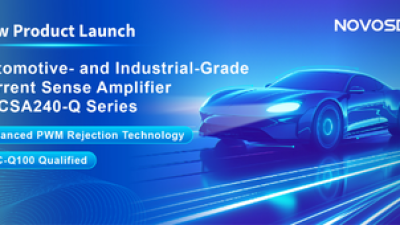 노보센스노보센스, PWM 고주파 과도 간섭 난제 극복…차량용 전류 감지 증폭기
 위고페어위고페어, 서울AI허브 '2026 AI 전환(AX) 지원사업' 컨소시엄 선정
 인아그룹'자동화 산업의 새로운 가능성'…인아그룹 전국 7개 도시 세미나 페어 개최
 -
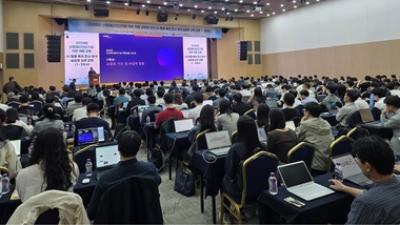 AIPD“특허분석도 AI와 함께”…IP산업 'AX' 시대 본격화, 지식재산처 1호 AI IP데이터분석사 탄생
 한국태양유전태양유전, '안전·환경 보고서 2026' 발간…2030년 SBT 수준 온실가스 감축 추진
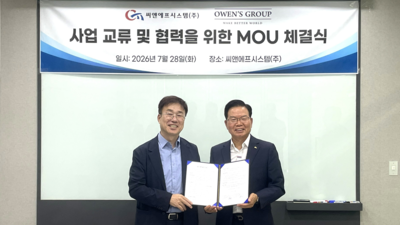 씨앤에프시스템씨앤에프시스템, 오웬스그룹과 공공 ERP·DX 사업 협력
 -
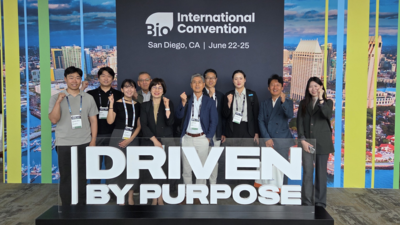 다래전략사업화센터다래전략사업화센터, 'BIO USA 2026'서 글로벌 빅파마와의 비즈니스 미팅 지원…K-바이오 해외 진출 교두보 확보
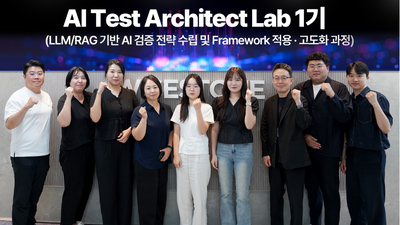 와이즈스톤와이즈스톤, LLM·생성형 AI 검증 리드할 'AI 테스트 아키텍트' 양성 나선다
 디에스앤지디에스앤지, 'AI EXPO KOREA 2026' 참가 성료… AI 전 생애주기 아우르는 통합 솔루션 선봬
 -
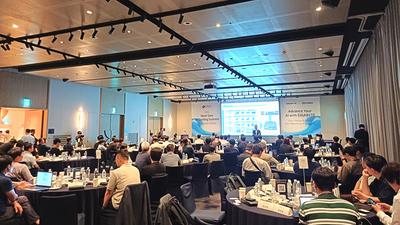 슈퍼솔루션슈퍼솔루션, 2026 Next-Gen AI Cooling Summit 성황리 성료
 비쉐이비쉐이, 5μA 저전력·14비트 해상도 갖춘 초소형 근접 센서 출시
 에이블스토어시놀로지, DiskStation neo+ 시리즈 라인업 출시
 -
 시큐어링크시큐어링크, 중소기업기술정보진흥원 AI 초격차 R&D 사업 최종 선정
 로옴세미컨덕터코리아로옴, 발진 출력 4배 높인 2세대 테라헤르츠파 발진 디바이스 개발
×
![]()